Unlimited zones
Create as many safe zones as your family needs — no per-zone fee.
Safe zones
Safe zones turn everyday routines into calm, hands-off routines. Home, school, football training and grandma's flat — Mini Guard confirms every arrival and every exit.

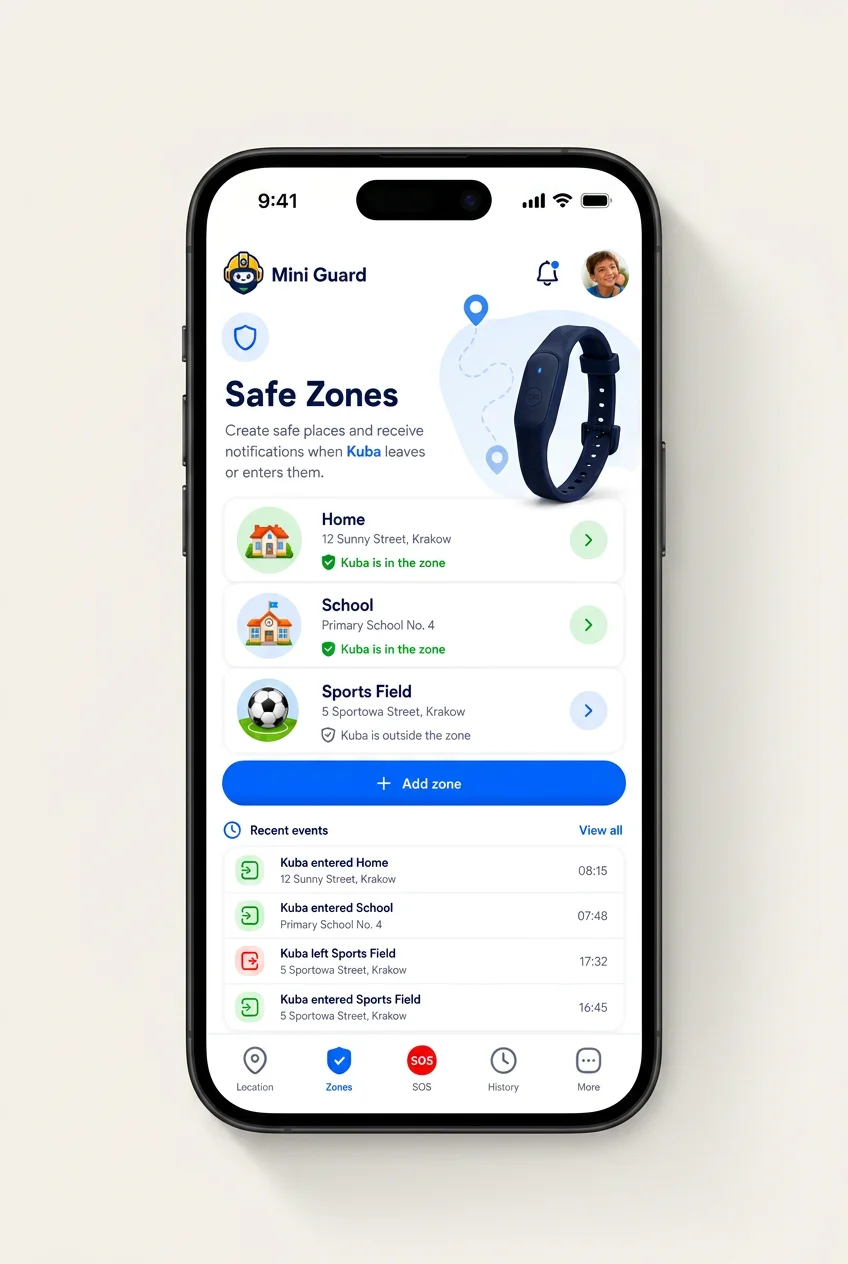
Draw a simple circle around a playground, a stretch of beach or grandma's street, or a custom polygon around a school campus. Zones snap to the map and can be edited anytime.
Create as many safe zones as your family needs — no per-zone fee.
Grandparents can mute noisy zones while parents keep them on.
Enable school zone only during school hours — no weekend noise.
Zone entries and exits arrive as priority notifications — quiet enough not to interrupt, loud enough to reassure.
See a green check when your child steps through the school gate.
A gentle alert if your child leaves a zone outside expected hours.
Every entry and exit is logged — review the last 30 days anytime.
Draw your own zone
Mark any area — a beach, a playground, grandma's street — and get an automatic notification the moment your child arrives at or leaves it.
Mini Guard
Alerts will appear here
Set your zone and start watching to see automatic arrival and departure alerts.
Demo simulation. Real alert timing depends on network conditions.
Automatic arrival & departure alerts
Save any place as a zone — school, home, grandma's, football club — and choose whether you want to be notified when your child arrives, when they leave, or both. School arrival in the morning and leaving in the afternoon is the canonical example: two calm notifications, sent automatically to every approved guardian, without you having to open the app.
You choose the notifications
Per zone: arrival, departure, or both. Toggle them any time from the app.
Automatic, not on-demand
Once a zone is saved, Mini Guard watches it — no button to press.
All approved guardians
Notifications go to every guardian you've approved for that child.
FAQ
Will I know when my child arrives at school?
Yes. Once you save school as a safe zone, Mini Guard sends automatic notifications when your child arrives and when they leave. You choose whether to be notified on arrival, on departure, or both, and the alerts go to every approved guardian on the account. Real timing depends on network conditions.